RespondraSpeed-to-Lead Automation
A lead management and email automation tool that helps a small service business organize inquiries, prioritize urgent requests, and track follow-up.
What I verified
- One self-email test created a Google Sheets lead, assigned urgency 5/5, and delivered both the acknowledgment and owner notification.
- A scheduled scan skipped the same message on its next pass.
- All 18 automated local tests passed.
Still to verify: live deployment of the private dashboard and delivery of an overdue reminder.
Explore the public demo with fictional data. No emails are sent, and changes reset when you reload. The real Google Sheet and owner dashboard remain private.
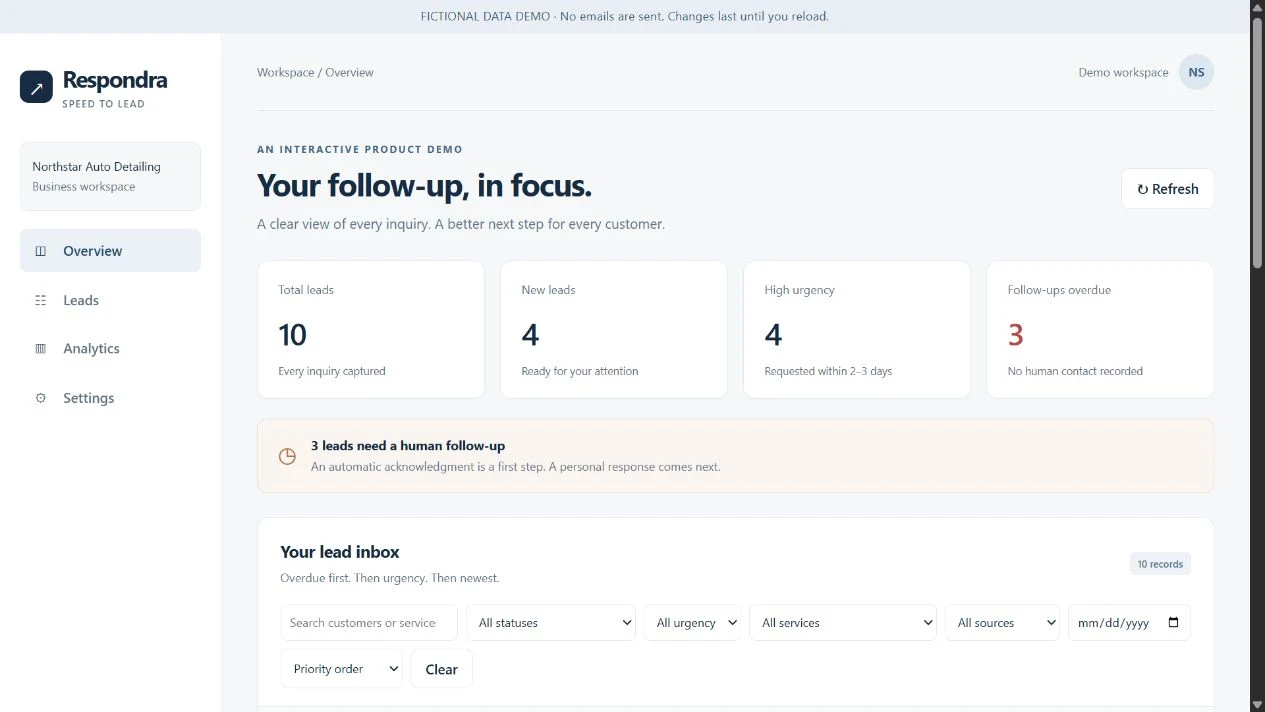
Actual fictional-data demo screenshot. Displayed counts and timing values are sample data, not business outcomes.
01 / The problem
Small businesses can miss opportunities when inquiries sit unanswered or follow-up is inconsistent. Contact details, requested services, and timing can become scattered across messages.
I used Northstar Auto Detailing, a fictional business, to demonstrate this challenge.
02 / The solution
I developed Respondra as a standalone application to bring intake, urgency classification, email notifications, and lead tracking into one structured workflow.
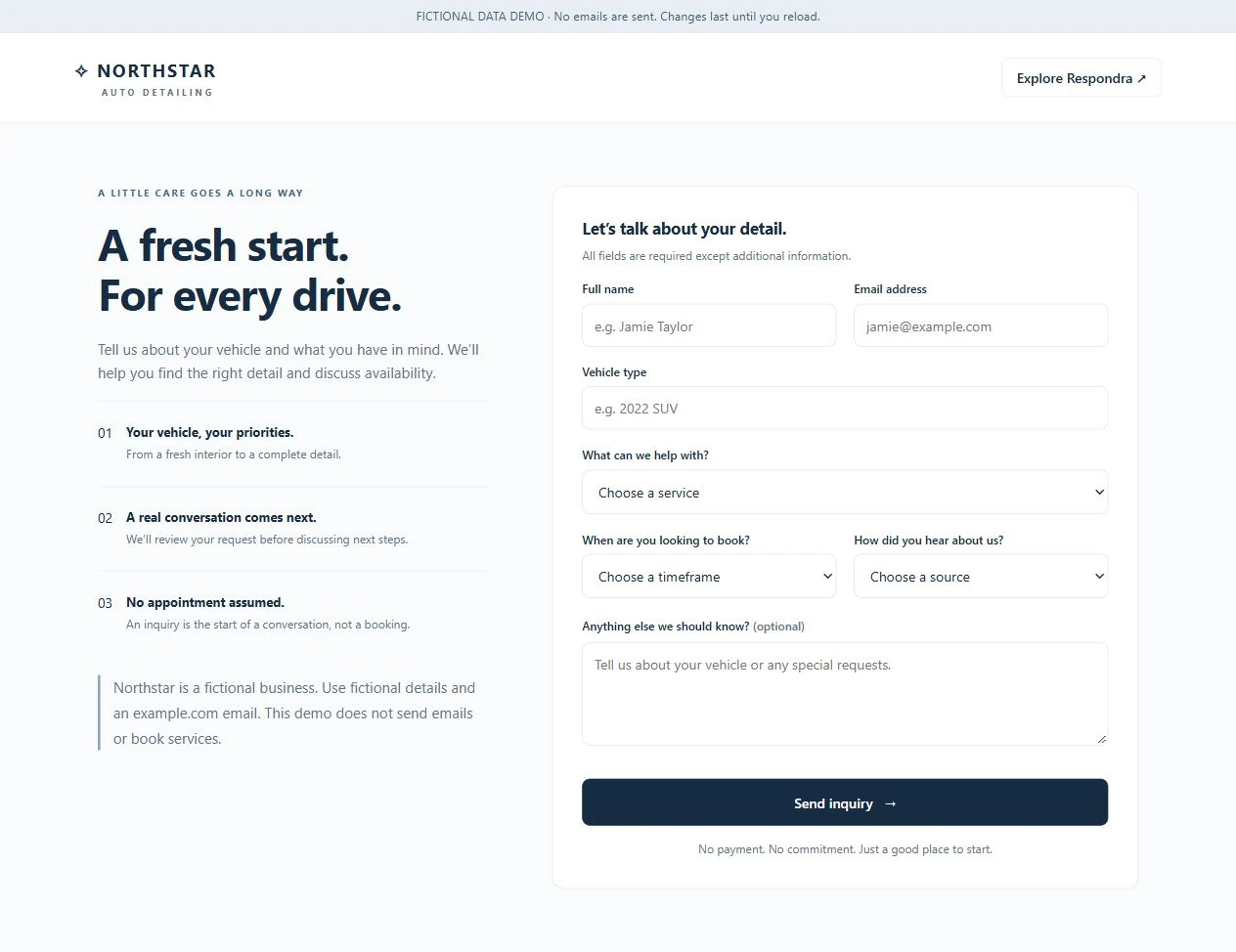
The interactive form and dashboard use fictional data for safe exploration. Separately, a real self-email test verified the Google Sheets and Gmail integration.
03 / How it works
The demonstrated workflow is inquiry → urgency classification → Google Sheets → customer acknowledgment and owner alert → follow-up tracking.
The inquiry form collects contact information, vehicle, service, requested timeframe, and a message. Explicit rules translate the requested timeframe into an urgency score from 1–5.
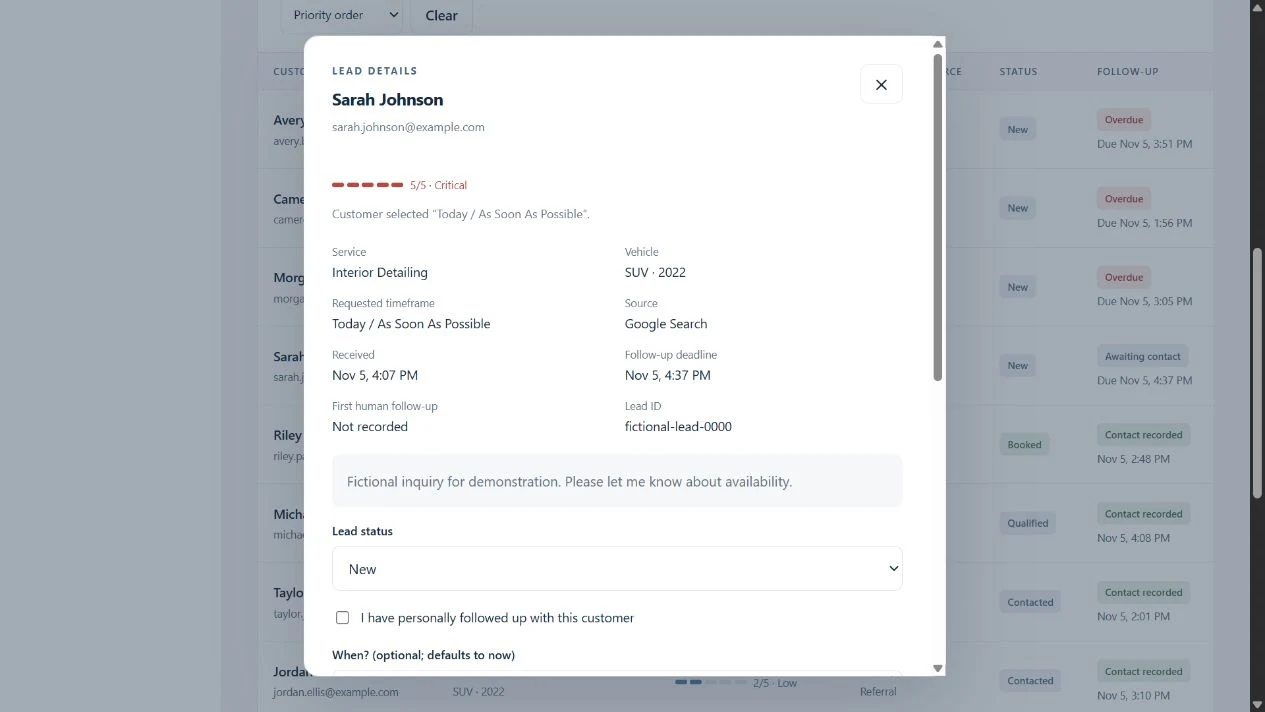
The integration stores lead information in Google Sheets and sends personalized acknowledgment and owner notification emails. The dashboard demonstrates filtering, status management, urgency explanations, and analytics. Follow-up logic monitors outstanding inquiries and identifies overdue work.
Duplicate prevention and restricted test recipients help control testing. The fictional-data demo sends no emails and keeps its interactions separate from private business records.
04 / Key product screens
Actual screens from the separate fictional-data demo. Northstar Auto Detailing is fictional. Open any screenshot for a larger view.
05 / Testing and results
- Verified self-email integration
- One real self-email test created one lead in Google Sheets, assigned urgency 5/5, and delivered both the customer acknowledgment and owner notification emails.
- Duplicate prevention
- A subsequent scheduled scan skipped the existing message without creating a duplicate.
- Local testing
- Eighteen automated local tests passed.
- Demonstrated product workflow
- Visitors can filter sample leads, change their status, and inspect the urgency score.
06 / Current limitations and next steps
The private live dashboard has not yet been deployed and connected for verified use. Connecting and validating that workflow is a next step.
Scheduled follow-up monitoring runs, but actual overdue reminder delivery still needs verification.
The public demo uses fictional data and sends no emails. It is separate from the private live integration.
Built using free tools, subject to Google’s service quotas. This is a prototype, not a fully deployed production system.